Retro Gadgets
A sandbox for building and programming your own retro devices
Licorice ehf, Studio Evil · Published by Licorice ehf · Released Nov 30, 2022 · Early Access
- Reviews
- Very Positive
- 88% of 514
- Recent reviews
- Not enough recent
- Players
- 0
- daily peak, Oct 28, 2026
- Steam Deck
- Playable
- Last update on Steam
- 1 week ago
- Oct 21, 2026
What is Retro Gadgets?
This single-player, 2D sandbox puts you at a pixel-art workbench, assembling circuit boards, buttons, screens, and chips. You write and debug Lua code to make devices such as game consoles, radios, and drum machines.
For you if...
- +you enjoy open-ended tinkering and setting your own goals
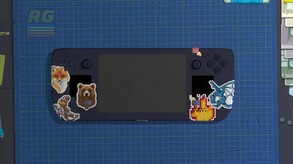
- +you like customizing hardware with colors, stencils, and stickers
Not for you if...
- −you would rather avoid programming and debugging altogether
What players say
88% of 514 reviews are positive
Players praise learning Lua through practical projects and studying community-made gadgets. Recent reviewers criticize poor onboarding, along with bugs, freezes, and crashes.
Screenshots and trailer
Retro Gadgets system requirements
Minimum: HD series 5000 ( ), 4 GB RAM, 0.3 GB of disk space.
As published by the developer.
Can my PC run Retro Gadgets?
Tell us your graphics card once and every game page will answer this for you.
Set up my PC →Minimum
- OS
- Microsoft Windows 8 / 8.1 / 10 (64 bit)
- Processor
- Intel Core2Duo 2GHz or AMD equivalent (or better)
- Graphics
- Intel HD series 5000 (or better) or discrete video card
- Memory
- 4 GB RAM
- Storage
- 300 MB available space
- DirectX
- Version 9.0c
Recommended
- OS
- Microsoft Windows 10 (64 bit) / 11
- Processor
- Intel Core i5 series or AMD equivalent (or better)
- Graphics
- 512 MB DirectX 9.0c compatible graphics card (shader model 4)
- Memory
- 8 GB RAM
- Storage
- 300 MB available space
- DirectX
- Version 9.0c
Does Retro Gadgets have co-op or multiplayer?
No: single-player only, no multiplayer modes declared.
Does Retro Gadgets run on Steam Deck?
Playable Playable: it runs on Steam Deck with some adjustments.
- Default controller config not fully functional
- Sometimes shows mouse, keyboard or non-Deck controller icons
- Some text entry requires manually opening the on-screen keyboard
- Some in-game text is small and may be hard to read
- Default graphics settings perform well on Steam Deck
PC version details
- DRM
- None declared on Steam
- Controller
- Keyboard and mouse
- Platforms
- Windows
- Steam features
- Workshop, Cloud saves, Family Sharing
- Languages
- Text only: English, Italian, French, German, Spanish - Spain, Japanese, Portuguese - Portugal, Simplified Chinese.
Does Retro Gadgets use AI-generated content?
No AI-generated content is disclosed on the game's Steam page.
Self-reported by the developer under Steam rules: it covers AI content that ships in the game, not tools used to make it. Steam page checked on Oct 27, 2026. How to filter AI games on Steam
Tags
- Early Access
- Education
- Automation
- 2D
- Puzzle
- Building
- Game Development
- Simulation
- Sandbox
- Programming
- 1980s
- 1990's
- Logic
- Old School
- Singleplayer
- Hacking
Recent updates
- Apr 3, 2025 · Live Dev Update: Retro Gadgets Playground
- May 10, 2024 · Mini Update 0.1.9 - RG Game Lib
- Dec 20, 2023 · Mini Update 0.1.8 - Transparent Cases
- Nov 13, 2023 · Mini Update 0.1.7 - Rotary Encoder
- Aug 21, 2023 · Roadmap Update


