Progress Bar Simulator
A casual simulation about controlling the pace of computer loading bars
SpielmannSpiel, bison · Published by SpielmannSpiel · Released Apr 4, 2019
- Reviews
- Very Positive
- 87% of 107
- Recent reviews
- Not enough recent
- Players
- 0
- daily peak, Oct 29, 2026
- Steam Deck
- Playable
- Last update on Steam
- 1 year ago
- Mar 4, 2025
What is Progress Bar Simulator?
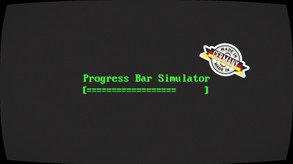
You use keyboard or mouse inputs to advance or reverse progress bars modeled on designs from computer history. You can set your own pace, watch them run automatically in idle mode, or attempt faster runs. Local multiplayer and Twitch chat let others help or oppose your progress.
For you if...
- +you like minimalist games built around an everyday computer task
Not for you if...
- −you prefer varied activities over watching bars or pressing buttons
What players say
87% of 107 reviews are positive
Players praise the simple concept as a time-waster, while some caution that there is little beyond the loading bars themselves.
Screenshots and trailer
Progress Bar Simulator system requirements
Minimum: HD 4000, 1 GB RAM, 1 GB of disk space.
As published by the developer.
Can my PC run Progress Bar Simulator?
Tell us your graphics card once and every game page will answer this for you.
Set up my PC →Minimum
- OS
- Windows 7
- Processor
- Intel i3 / AMD A6-9500
- Graphics
- Intel HD 4000 / AMD Radeon R5
- Memory
- 1 GB RAM
- Storage
- 1 GB available space
Recommended
- OS
- Windows 10
- Processor
- Intel i5 / Ryzen 3
- Graphics
- Nvidia GeForce 1050 / AMD Radeon VEGA or similar
- Memory
- 2 GB RAM
- Storage
- 1 GB available space
Does Progress Bar Simulator have co-op or multiplayer?
Yes: co-op split-screen; PvP split-screen. It also has a single-player mode. With Remote Play Together, one copy is enough to play the local modes online with friends.
Does Progress Bar Simulator run on Steam Deck?
Playable Playable: it runs on Steam Deck with some adjustments.
- Default controller config not fully functional
- Sometimes shows mouse, keyboard or non-Deck controller icons
- Some text entry requires manually opening the on-screen keyboard
- In-game text is legible on Steam Deck
- Default graphics settings perform well on Steam Deck
PC version details
- DRM
- None declared on Steam
- Controller
- Keyboard and mouse
- Platforms
- Windows, Linux
- Achievements
- 38
- Steam features
- Cloud saves, Family Sharing
- Languages
- Text only: English.
Does Progress Bar Simulator use AI-generated content?
No AI-generated content is disclosed on the game's Steam page.
Self-reported by the developer under Steam rules: it covers AI content that ships in the game, not tools used to make it. Steam page checked on Oct 27, 2026. How to filter AI games on Steam
Tags
- Immersive Sim
- Satire
- Simulation
- Auto Battler
- Incremental
- Idler
- Surreal
- Parody
- Life Sim
- Time Management
- Funny
- Historical
- Psychological Horror
- Relaxing
- Cyberpunk
- Casual
Recent updates
- Dec 4, 2024 · Update & DLC-Release
- May 18, 2020 · BIG FREE UPDATE & DLC RELEASE
- Dec 10, 2019 · UPDATE
- Apr 21, 2019 · 🏒 UPDATE: Super Blood Hockey ⛸️
- Apr 15, 2019 · 🎉Rise_to_Progress_RELEASE_update_final2.doc 🎉
2 DLC available.
