신기록 : A Compendium of Ghosts
Pixel-art RPG about a hunter caught in a strange mystery
Team 33 · Released Jun 5, 2018
- Reviews
- Very Positive
- 92% of 117
- Recent reviews
- Not enough recent
- Players
- 0
- daily peak, Oct 29, 2026
- Steam Deck
- Untested
- Last update on Steam
- 8 years ago
- May 14, 2018
What is 신기록 : A Compendium of Ghosts?
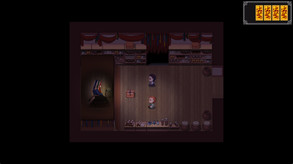
Based on a webtoon, this free role-playing adventure follows Sang, a hunter caught in a strange event while returning home. You gather clues by talking to characters, sometimes more than once, and may learn their stories or receive rewards.
For you if...
- +you like searching for hidden snacks and webtoon cameos
Not for you if...
- −you want a multiplayer adventure rather than a solo game
What players say
92% of 117 reviews are positive
Several players note the lack of an English translation.
Screenshots and trailer
신기록 : A Compendium of Ghosts system requirements
Minimum: 128MB, 2 GB RAM, 0.2 GB of disk space.
As published by the developer.
Can my PC run 신기록 : A Compendium of Ghosts?
Tell us your graphics card once and every game page will answer this for you.
Set up my PC →Minimum
- OS
- Windows XP, Vista, 7, 8, or 10
- Processor
- 2GHz+
- Graphics
- 128MB
- Memory
- 2 GB RAM
- Storage
- 250 MB available space
Recommended
- OS
- Windows XP, Vista, 7, or 10
- Processor
- 2GHz+
- Graphics
- 128MB
- Memory
- 3 GB RAM
Does 신기록 : A Compendium of Ghosts have co-op or multiplayer?
No: single-player only, no multiplayer modes declared.
Does 신기록 : A Compendium of Ghosts run on Steam Deck?
Untested Not yet tested by Valve on Steam Deck.
PC version details
- DRM
- None declared on Steam
- Controller
- Keyboard and mouse
- Platforms
- Windows
- Steam features
- Family Sharing
- Languages
- Text only: Korean.
Does 신기록 : A Compendium of Ghosts use AI-generated content?
No AI-generated content is disclosed on the game's Steam page.
Self-reported by the developer under Steam rules: it covers AI content that ships in the game, not tools used to make it. Steam page checked on Oct 27, 2026. How to filter AI games on Steam


